
Basics of Image Generation
Soulkyn's image generation is not one model with one way of asking. There are seven models in two families, and the two families want completely different prompts — that single fact explains most of the results people find confusing. This page covers the interface, the models, and how to write your first prompt for each family.
Image Models
Seven models, two families. Six are available on any kyn; SK-Alpha only appears on realistic-family kyns and is hidden on anime-only ones.
The SD family — tag prompts
- SD - Anime Original
- SD - Anime Alpha
- SD - Anime Hyper
These take tag prompts: comma-separated keywords, with + and - weights. They expose the full control panel — scheduler, prompt strength (CFG), CLIP skip, seed, img2img. If you want to fight for a specific look, this is the family that lets you.
- SD - Anime Original — the versatile baseline.
- SD - Anime Alpha — rigid and hard to break; good when you want consistency.
- SD - Anime Hyper — very detailed, best when playing with styles and LoRAs.
The natural-language family — sentence prompts
- SK-Alpha
- ZIT - Sk-All
- ZIT - Sk-Photo
- ZIT - Sk-Real
These take plain sentences. Describe the picture the way you would describe it to a person. There is no CFG slider, no CLIP skip and no scheduler to pick — instead there is a Force Style sub-toggle, Realistic or Anime, which pins the render style regardless of what the prompt says. They also accept a longer prompt and a face reference.
SK-Alpha is the realistic-class specialist; the ZIT models cover a broader range (ZIT - Sk-All), photographic looks (ZIT - Sk-Photo) and realism (ZIT - Sk-Real).
Retired models
Three older SD models were removed from the picker. Their old slugs now resolve to SK-Alpha, and a kyn still pinned to one shows an ⚠️ Outdated badge — see image troubleshooting.
UI Explanation
Let's get familiar with our image generation interface!
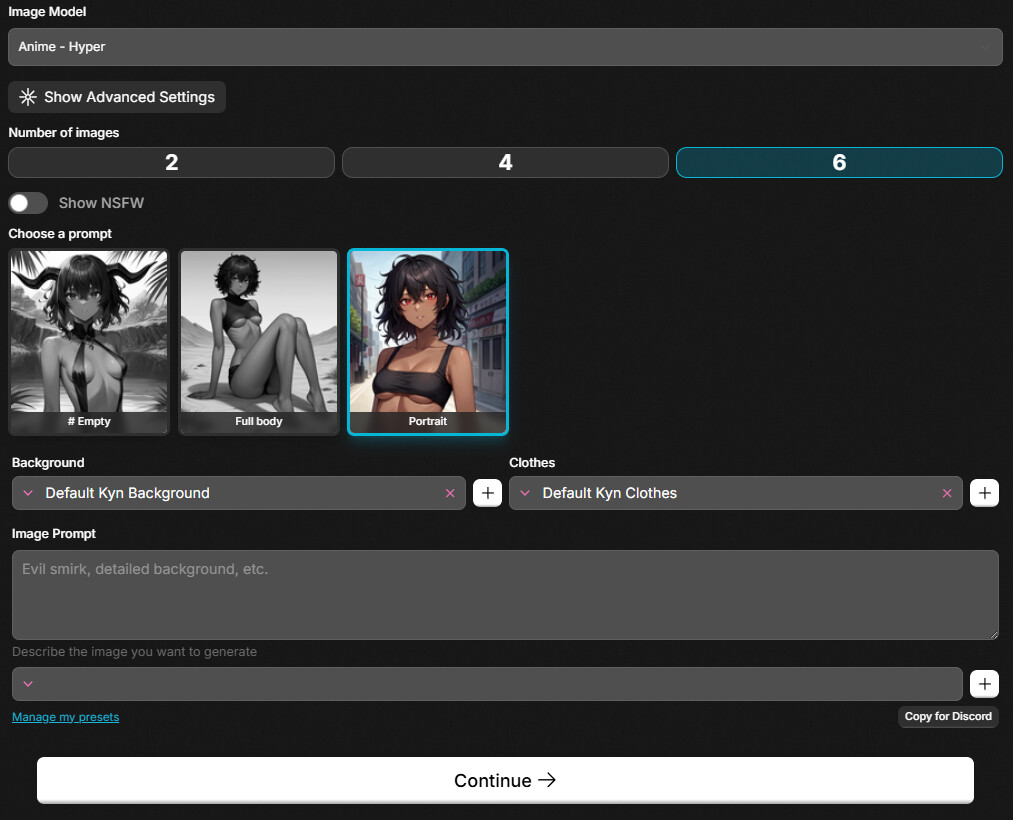
| UI Element | Function |
|---|---|
 | This button lets you choose the image model you want to use. Simple explanations with examples are provided below. |
 | This button shows advanced settings which include LoRAs and other functions. See the Advanced Tutorial for details. |
 | These three buttons let you choose how many pictures you want to make. |
 | This button toggles between SFW and NSFW prompts. You don't need to choose NSFW to make NSFW content - it's just easier. |
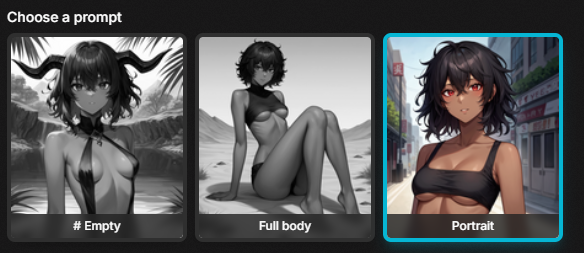 | Presets let you choose the overall look of the image. They only steer the AI in the specified direction. |
 | Browse through background presets created automatically when you make a new Kyn. Has search function - press CTRL+A and type to search. |
 | Browse through clothing presets created automatically when you make a new Kyn. Has search function - press CTRL+A and type to search. |
 | Add a new preset. Minimum 3 tags required. |
 | Input your image prompt! Just describe what you want in simple terms. |
 | Save and load basic image prompts. |
 | This button starts image generation! |
Generation UI
After you press the continue button you'll see the generation UI:
| UI Element | Function |
|---|---|
 | This button checks every picture to be deleted. |
| This button confirms all your choices. |
  | Sets a picture as avatar for your Kyn. NSFW pictures aren't allowed as avatars. |
  | This button sets an image to be deleted after pressing continue. |
Your First Prompt
Before you can make pictures you have to know how to ask. And the way you ask depends entirely on which family you picked.
On an SD model: keywords
These models read tags, not sentences. To put a character on a chair in a living room: Sitting, on chair, living room. Put a comma after every keyword — commas are what separate one meaning from the next.
Weights tell the model how much you mean it:
++— strong emphasis+— emphasis-— de-emphasis--— strong de-emphasis
Example — an avatar portrait. Character alone, smiling and winking, blurry background:
Solo++, Close++, Portrait++, Smiling-, Winking+, Blurry+ background++,
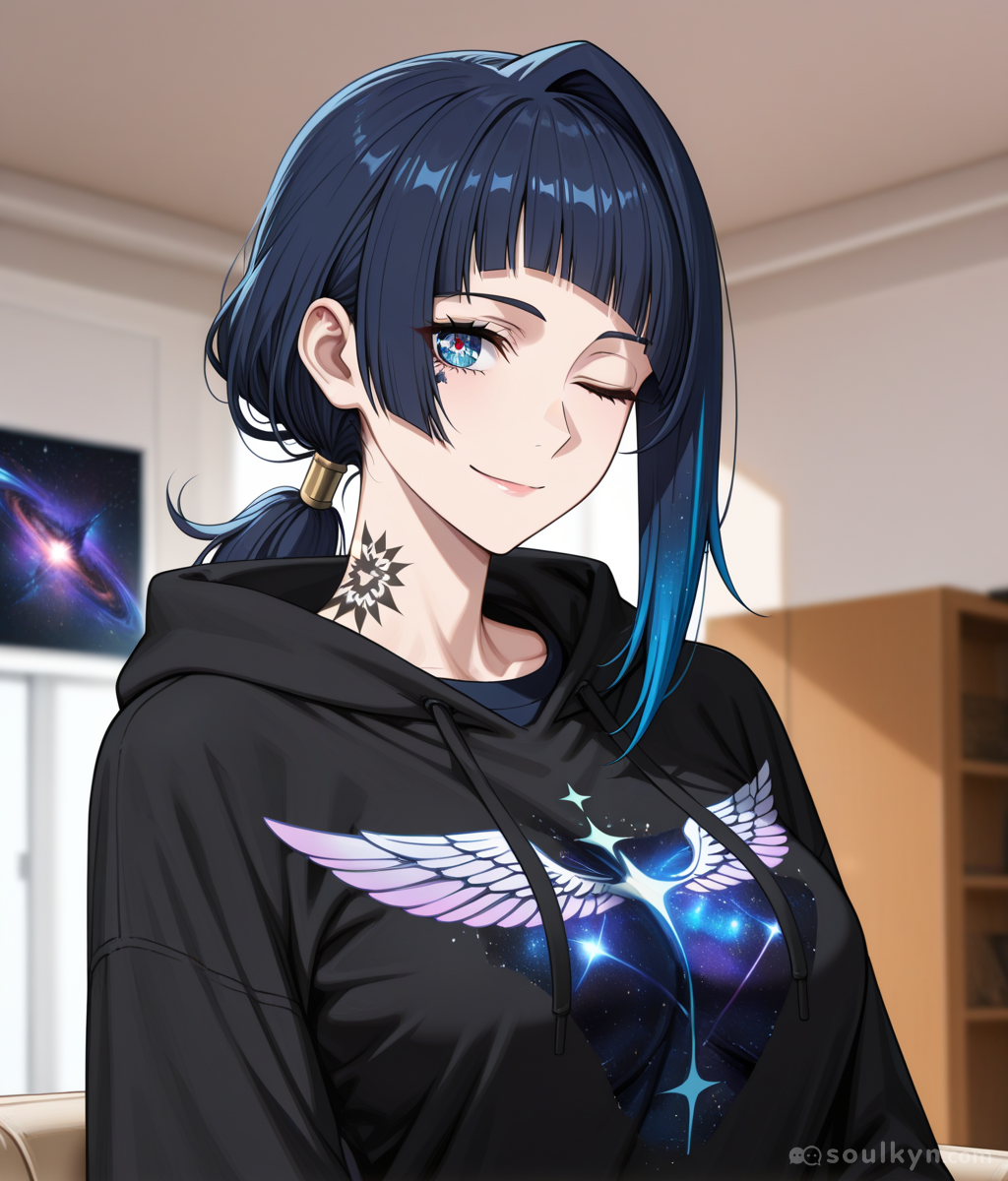
More on weights in the advanced guide.
On a natural-language model: sentences
Write what you would say to a person. "She is sitting on a worn armchair in a sunlit living room, looking over her shoulder at the camera, smiling." No commas-as-tags, no + signs — the weight syntax is not a language these models speak, and sprinkling it in just puts stray punctuation in the sentence.
If the style comes out wrong, do not fight it in the prompt: use the Force Style toggle.
Prompt length, LoRAs and batch size
Three limits differ between the two families. They are not arbitrary — they follow what each family can usefully take.
| SD models | Natural-language models | |
|---|---|---|
| Image prompt | 550 characters | 1,400 characters |
| LoRAs per generation | up to 3 | up to 4 |
| Images per batch | 2, 4 or 6 | 1, 2 or 4 |
The tighter prompt budget on the SD side is why presets matter so much there: clothing, background and prompt presets carry their own tags and do not eat into the 550.
There are 63 LoRAs available, sorted into 23 browsable categories, and the ones you pick carry over between generations. LoRAs are covered in the advanced guide.
The other controls — img2img from a Soulkyn image link, prompt strength, CLIP skip, orientation, scheduler, seed and the share-generation-data toggle — are covered there too.
The one rule with no exceptions
This one is printed on the generation page itself, and it is worth repeating here in full:
Trying to create Kyns that appear underage / loli-like or exhibit underage behavior is strictly prohibited. Any such attempts will result in the removal of the Kyn, an immediate ban, and loss of access to the platform.
It applies to private kyns as much as public ones, to the prompt as much as the output, and to behaviour as much as appearance. There is no grey area, no stated-age workaround, and no second interpretation.
Everything else here is genuinely uncensored: NSFW prompts, explicit galleries, whatever you want in a private kyn. This is the line, and it is the only one drawn this hard.