A marked lead
The cast is ordered and one kyn is flagged as the lead, so the room has a centre of gravity instead of eight people talking over each other.

SCENARIOS & PROMPT CRAFT
Two ways to start a scene that is already good: take one somebody else built, or learn to build your own. Both are on this page.

The public scenario hub is full of curated line-ups: an ordered cast, a marked lead, and the opening scene already set. Filter by group or single, sort by new, and see how many people have used each one before you commit. Use scenario puts you inside it immediately.
Browse scenariosThree steps, none of which involve writing a prompt.
Filter the hub by group or single, sort by newest, and read the cast. The lead is marked, the usage count tells you what actually works.
One click and the thread opens with the whole cast linked and the opening scene already played. You are not starting from an empty box.
Add or remove kyns from the Context tab, attach a .dll or a .wrl, write thread memories, change presets. The scenario is a starting position, not a cage.
Not just a list of names.
The cast is ordered and one kyn is flagged as the lead, so the room has a centre of gravity instead of eight people talking over each other.
The premise is written before you arrive. The first message is not you asking eight strangers what they would like to roleplay.
Copy link puts the whole setup in a message. Reactions and a usage counter tell you which ones the community keeps coming back to.
Every scenario card carries a Write a light novel from this scenario action: the cast and the opening come across, and you get a multi-part story instead of a chat.
Scenarios sit in the same Context tab as .dll behaviour mods and .wrl world files, so a line-up and a rule set can be combined without either being rewritten.
Clothing, location and prompt presets are savable and shareable, so the setup you spent an hour tuning becomes a one-click starting point next time.

Build compelling roleplay scenarios that bring AI interactions to life. Learn practical techniques for crafting character backstories, designing immersive settings, and creating prompts for personalized AI companionship.
Start Creating Scenarios
Create multi-dimensional characters with distinct personalities, motivations, and traits. Learn practical techniques for crafting compelling backstories, defining unique characteristics, and establishing authentic character voices for immersive roleplay.
Explore Character Examples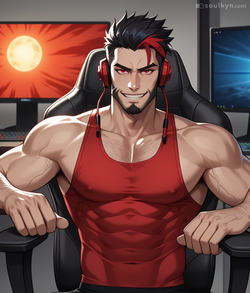
Create vivid environments and contexts for roleplay scenarios. Learn how to establish time periods, locations, atmospheres, and social dynamics that provide compelling backdrops for character interactions and adventures.
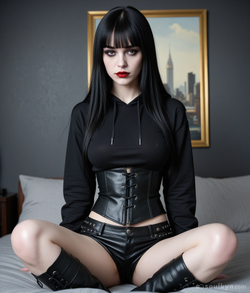
Explore different relationship frameworks to create tension, intimacy, and compelling interactions in roleplay scenarios. From enemies-to-lovers to forbidden romances, learn how to establish dynamic connections that evolve naturally through conversations.
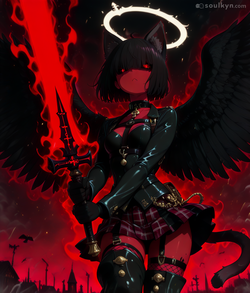


Learn techniques for smoothly transitioning between different scenarios with the same AI companion while maintaining character consistency and emotional connection across new settings, contexts, and situations.
Access customizable templates for various roleplay scenarios that you can adapt to your preferences. Our framework helps you organize character details, setting information, and relationship dynamics in formats that maximize AI understanding and responsiveness.
Learn the art of crafting compelling adult scenarios that balance explicit content with character development and narrative engagement. Create intimate encounters that feel natural, consensual, and emotionally resonant within your roleplay experience.
Organize and save your favorite roleplay prompts and scenarios for quick access. Learn how to build scenario collections, iterate on successful prompts, and create a personalized library of roleplay setups tailored to your preferences.
Define key personality traits, appearance details, age, background, and motivations that make the character distinct and memorable.
Establish the location, time period, atmosphere, and environmental factors that create context for your roleplay scenario.
Clarify the connection between characters, including history, power dynamics, emotional bonds, and any tension or conflict.
Provide an inciting incident or situation that kicks off the interaction and gives the conversation immediate direction and purpose.
Establish speech patterns, vocabulary choices, verbal quirks, and communication style that make the character feel authentic and consistent.
Leave room for character growth, relationship evolution, and narrative development rather than scripting every detail of the interaction.
A good AI roleplay prompt includes clear character descriptions, setting details, and relationship dynamics. The best prompts establish context but leave room for creative development, incorporate specific personality traits and motivations, and provide enough detail for AI understanding without overwhelming restrictions.
Effective prompts find a balance between structure and flexibility. Include 3-5 sentences about the character, 2-3 sentences about the setting, and 1-2 sentences about the relationship or scenario. Focus on key personality traits, motivations, desires, and any specific scenario elements that are important while leaving space for the AI to develop the character and storyline naturally.
A scenario is a published starting point: an ordered cast of kyns with one marked as the lead, plus the opening scene already written. They live in a public hub you can filter by group or single and sort by newest, each with a usage counter and reactions. Using one opens a thread with everyone already linked, so you skip the part where you set the table.
Yes! Soulkyn allows you to save your favorite roleplay scenarios as presets that you can quickly apply to any AI companion. This feature lets you experiment with how different AI personalities respond to the same scenario, refine prompts over time, and build a collection of your preferred roleplay setups for easy access.
Yes, at several levels. Clothing, location and prompt presets are savable and shareable. Thread memories let you pin facts and rules that stay in force. A .dll behaviour mod turns a mechanic you designed into something portable you can drop onto any kyn. And a whole cast plus its opening can be kept as a scenario and reused, or handed to someone else with a link.
Soulkyn's AI companions can adapt to new scenarios within the same conversation. Simply introduce the new setting or context clearly (e.g., "Let's try a different scenario where...") and describe the new situation. The AI will maintain its core personality while adapting to the new scenario, creating a smooth transition while preserving your connection.
Soulkyn is designed for uncensored adult roleplay, supporting explicit scenarios between consenting adults. Our platform allows you to explore mature themes and intimate scenarios with AI companions that adapt to your preferences. All conversations are private and confidential, ensuring your personal roleplay experiences remain yours alone.
For beginners, we recommend starting with straightforward scenarios that have clear roles and contexts: casual meeting at a café, chance encounter at a party, fantasy tavern meeting, workplace scenario, or vacation setting. These provide enough structure while being open-ended enough to develop naturally based on your interactions and preferences.
The community hub is full of line-ups other people already tuned. Take one, change what you want, and keep the parts that work.
18+ only. No card required to start. Every scene is fiction, between fictional adults, and stays private to your account.
Pages people read next.