
AI Images

AI Image Gallery

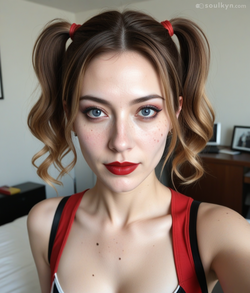
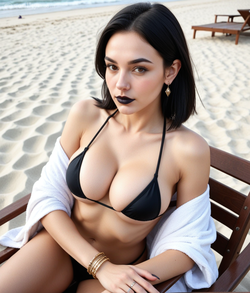
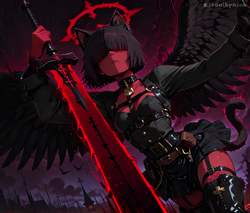
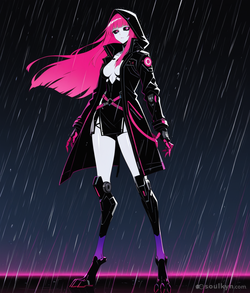
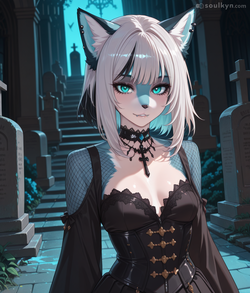
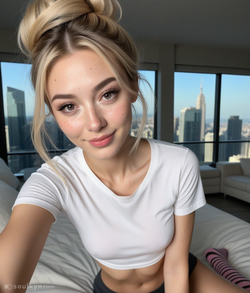
Eighteen million images generated on Soulkyn, all of them made by someone and their kyn. Seven models sit behind that number — three that want a tag list, four that want a plain sentence — and the hub is where the results end up.

Free to start · No card required · 18+ only

Seven models, two ways of asking

The picker splits into two families that behave differently enough that knowing which one you are on is most of the skill. SK-Alpha only appears on realistic-family kyns, so an anime kyn shows six models rather than seven.

The SD family — tag prompting

SD - Anime Alpha, SD - Anime Hyper and SD - Anime Original. You write a tag list, and you get the classic controls to go with it: scheduler, prompt strength, CLIP skip. Prompts run to 550 characters, up to three LoRAs at once, batches of two, four or six.

SK-Alpha and the ZIT models — plain language

SK-Alpha, ZIT - Sk-All, ZIT - Sk-Photo and ZIT - Sk-Real read a normal sentence instead of a tag list. They drop the tag-era controls for a Force Style toggle — render realistic or anime regardless of what the prompt says — and they allow longer prompts at 1,400 characters, four LoRAs, batches of one, two or four.

The controls that actually change the picture

63 LoRAs across 23 categories

Anime, Artistic, Detailed, Effects, Enhancement, Quality, Realistic, Stylized, Lighting, Cinematic, Fantasy and a dozen more. Three at a time on the SD models, four on the natural-language ones, and saved LoRAs carry over between generations.

Img2Img

Paste a Soulkyn image link as the base and the generation works from that picture instead of from nothing. Leave the field empty and it is plain text-to-image.

The dials

Prompt Strength from 5.5 to 11, default 7.5. CLIP Skip 0 to 2. Portrait or landscape. Scheduler: DPM++ 2M Karras, DPM++ 2M, DPM++ SDE Karras or Euler A. A fixed seed when you want the same picture twice, random when you don't.

Presets you can save and share

Clothing, location and prompt presets, reusable across generations. A clothing preset holds up to 18 tags of 38 characters each; background and prompt presets hold up to 35 tags of 50.

Images inside the conversation

Picturize any message to render the moment it just described, and send your own pictures the other way — your kyn understands what is in them.

AI Image Edit, a separate tool

Edit an image you already have with up to 2,500 characters of instructions, choose how many variations to try, and pick from thirteen enhancement presets. Results are held for thirty minutes so you can review them and keep the one that worked.

How the hub is organised

Four ways to sort

Recently, Popularity, a personal Feed, and Gen. Data — the last one surfaces images whose creators chose to share the settings behind them, which makes the hub a reference and not only a gallery.

A live row of what people are actually generating

The hub keeps a trending tag row at the top, so browsing starts from a real tag rather than from a blank search box and a guess.

Every image is credited to a kyn

Cards carry the kyn the image was generated for, the three auto-tags describing it, and its likes. Clips made from an image are flagged in the same grid, so a picture and the video it became sit next to each other.

What it does not do

The line that does not move

The generation page states it where people generate, not in a policy page nobody opens: attempting to create kyns that appear underage, or that behave underage, gets the kyn removed, the account banned, and access to the platform lost. There is no version of this that is negotiable.

Editing is not the same capability as generating

The image-edit model is not trained on adult content, and the tool says so before you try rather than after you have paid attention to the result. Uncensored generation and uncensored editing are two different claims, and only one of them is being made here.

120K+
AI characters
18.0M
Images generated
2.4M
Scenes played
640K+
Songs & clips rendered

Questions people actually ask

Which image models can I use?

Seven: SD - Anime Alpha, SD - Anime Hyper, SD - Anime Original, SK-Alpha, ZIT - Sk-All, ZIT - Sk-Photo and ZIT - Sk-Real. SK-Alpha only appears on realistic-family kyns, so an anime kyn shows six.

Tags or sentences?

Both, depending on the family. The SD models want a tag list and give you scheduler, prompt strength and CLIP skip to go with it. SK-Alpha and the ZIT models want plain language and hand you a Force Style realistic/anime toggle instead.

How many LoRAs can I stack?

Three on the SD models, four on the natural-language ones, out of 63 available across 23 categories. Saved selections carry over, so a look you like does not have to be rebuilt each time.

Can I edit an image I already made?

Yes, with the separate AI Image Edit tool: text instructions up to 2,500 characters, a variation count, and thirteen style presets from a plain edit through to upscaling. Edits are held thirty minutes for you to confirm before anything is kept.

The rest of Soulkyn

Seven models. One kyn. No wrong door.

The hub is the finished work. The interesting part is upstream: pick a kyn, pick a family, and find out which of the seven sees them the way you do.

Keep exploring

Pages people read next.